 BodyLog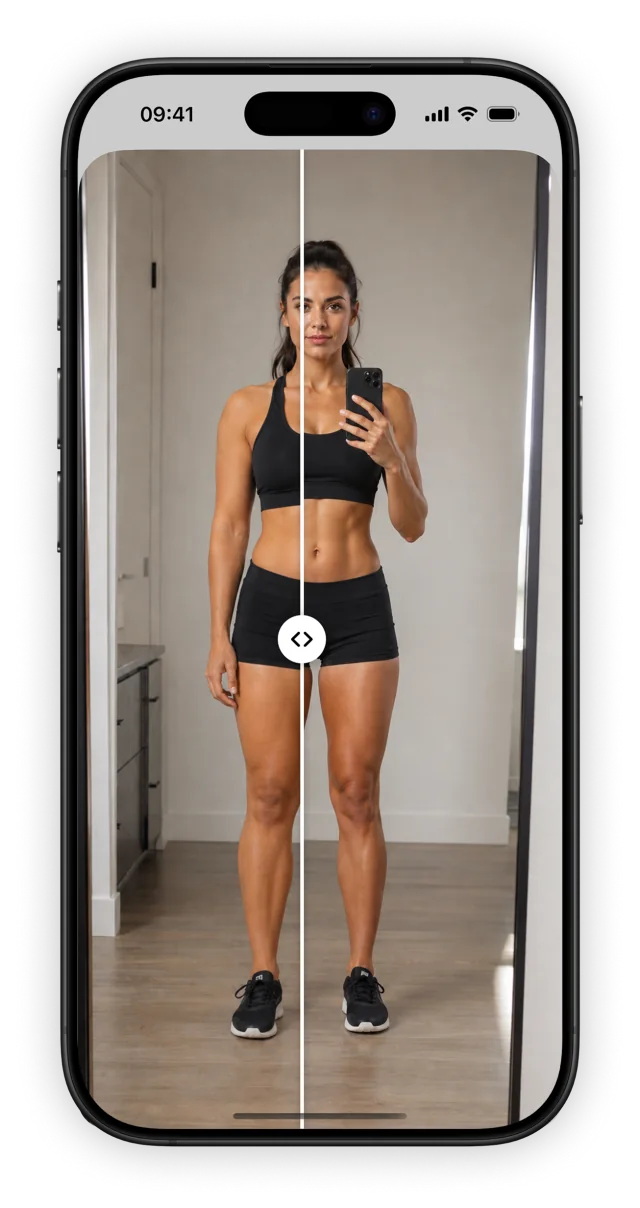
Keep a photo record alongside your body measurements. BodyLog supports in-app camera capture, photo-library import and side-by-side photo comparisons.
Get BodyLog for iPhone and iPadChoose how to add a photo
Capture a new photo in the app, or import an existing image from your photo library. When bringing in an older photo, check its date before choosing it for a comparison. Keep a short note of the session in your own tracking routine so that a front view is easy to match with another front view.
Compare like with like
Side-by-side comparison is most useful when you can recognize the same camera setup in both pictures. Match the view, framing, clothing and light before comparing dates. The progress photo guide includes an illustrated setup and a reusable session checklist.
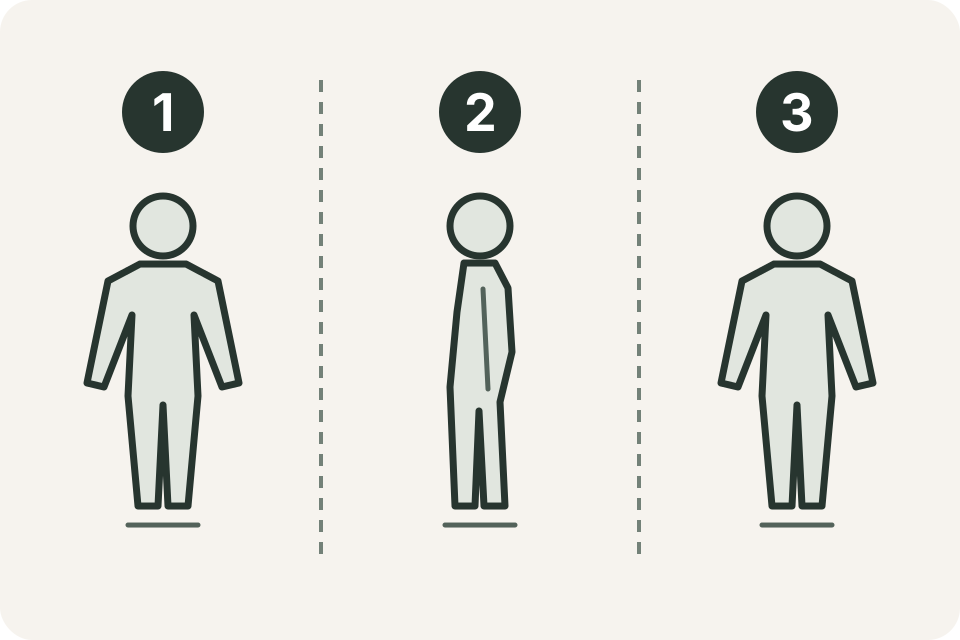
The example views are front (1), side (2) and back (3). Choose the views you want to keep and repeat them. This is a suggested photo routine, not a required BodyLog sequence.
What the example shows
The screenshot shows BodyLog’s comparison interface in English. The pictures and dates are product artwork, not a testimonial or a prediction of what your own photos will show.
BodyLog is free to download and offers in-app purchases. Check the app’s current offer for photo access and other Pro features; see pricing and purchase options before buying.
Photos and data questions
Before changing phones, removing the app or deleting records, read data-management help. If a photo is missing or an import fails, contact support with your device, app version and the action that failed. You can describe the problem without sending the photo.
The privacy page provides the site’s published privacy information when available.